Chapter 07 · Approvals
Approvals
Handle every pending request in one place, and hand over your approvals when you are away.
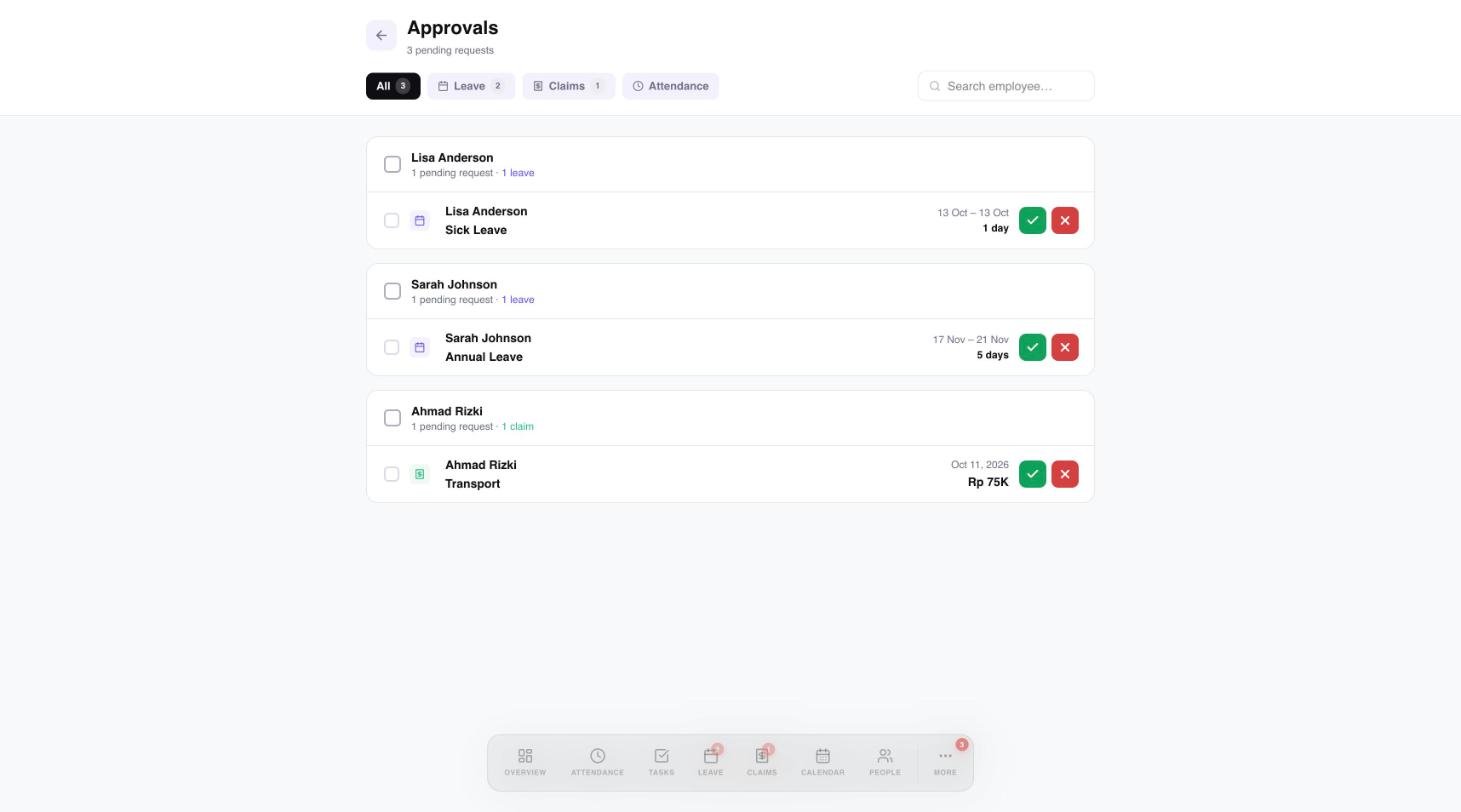
The Approvals page gathers every pending request: leave, claims and attendance corrections. Open it from More, then Approvals, or from the Pending Approvals card on Overview.
 1234
1234- Filter by request type.
- Search by employee.
- Tick boxes to select several requests.
- Approve or reject.
Going away? Delegate your approvals
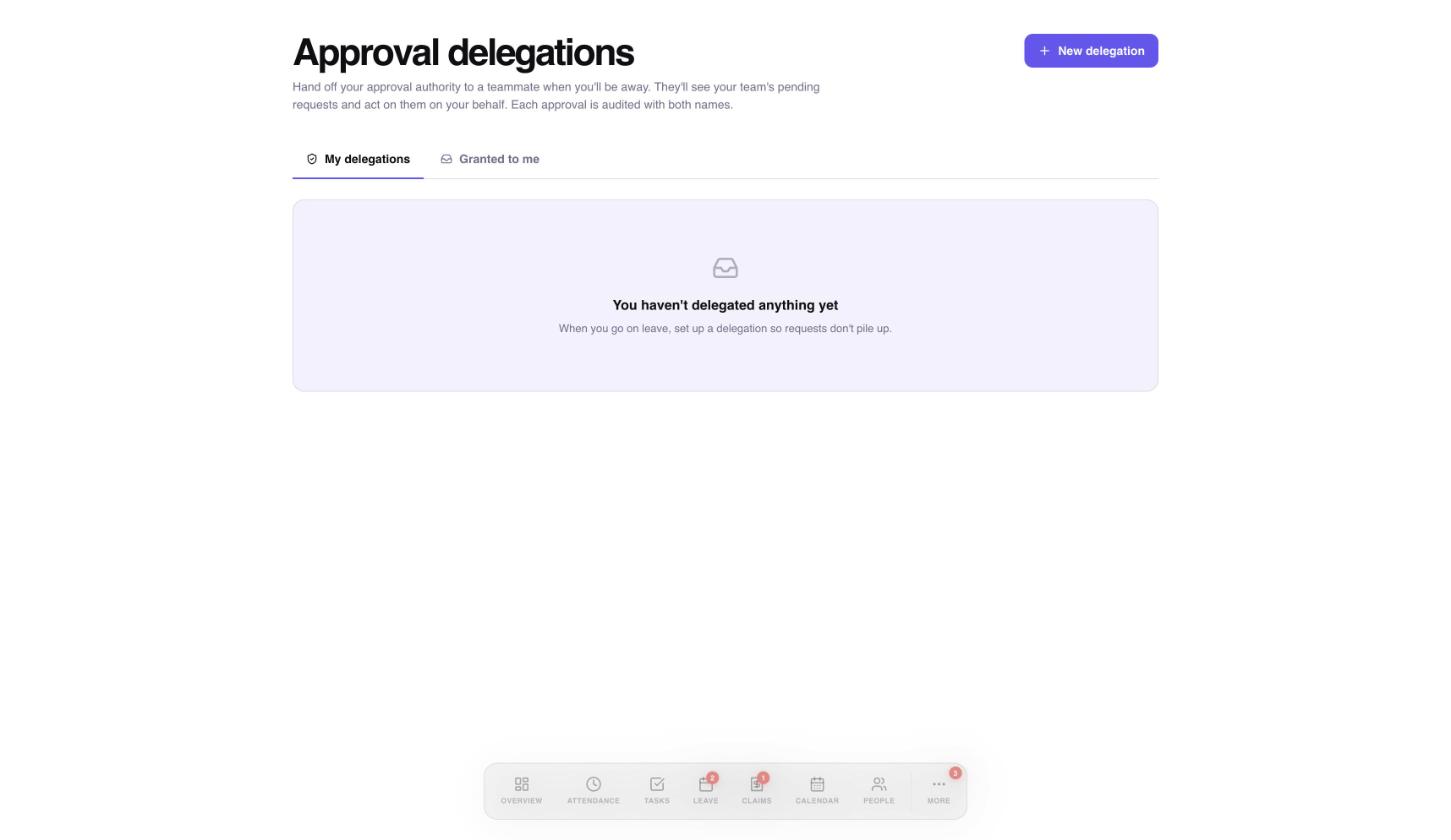
When you will be away, hand your approvals to a teammate so requests do not pile up. They act on your behalf, and each approval is recorded with both names.
- Open More, then Approval delegations.
- Select New delegation.
- Choose the teammate who will approve for you.
 123
123- Hand your approvals to a teammate.
- Delegations you gave, and ones given to you.
- Delegations you have set up appear here.
Need a hand?
Email my@workived.com and we will help you out.