Chapter 04 · Leave
Leave
Request time off, decide on requests, and set up your leave policies.
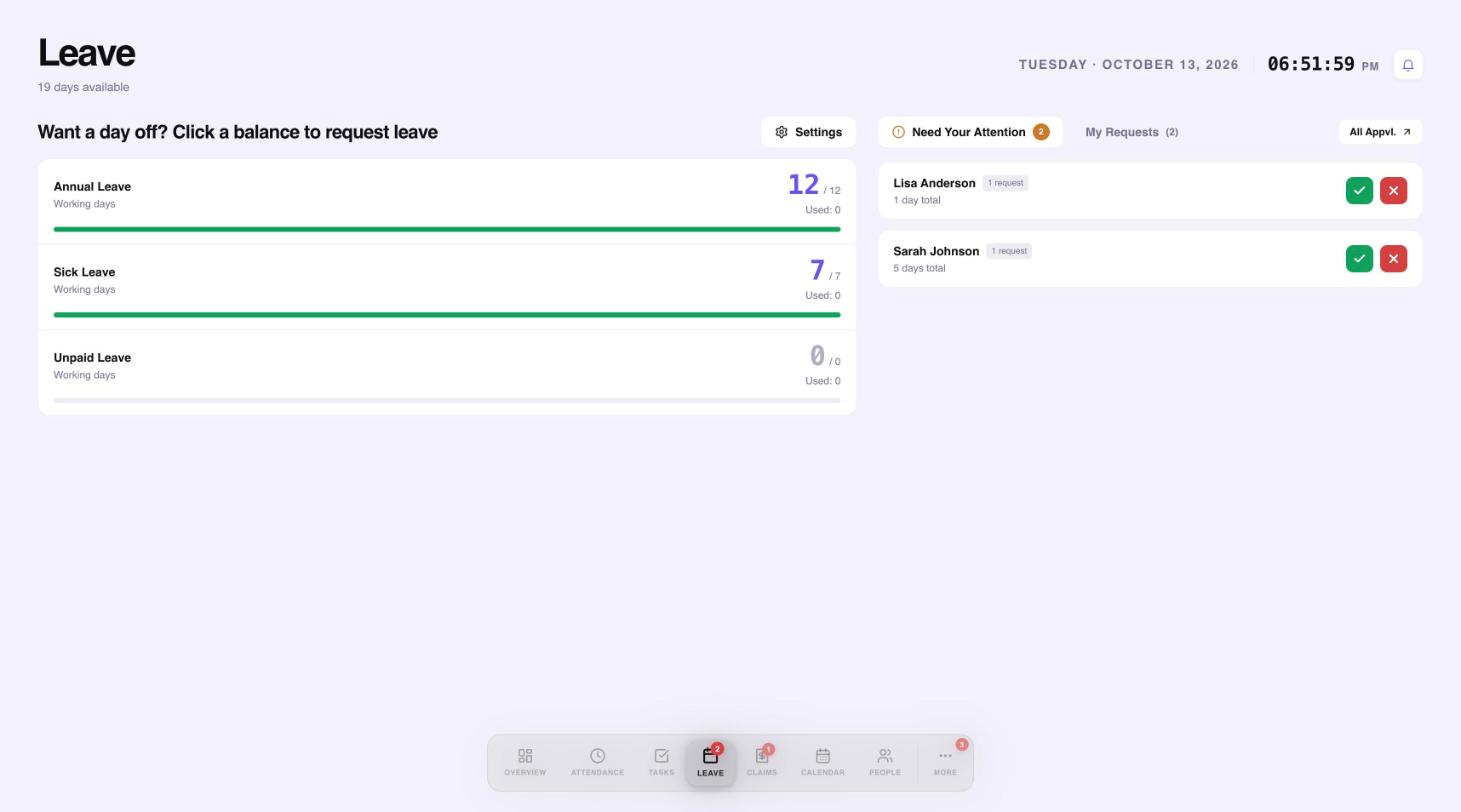
Open Leave to see your balances for each leave type.
 12345
12345- Your balances. Select one to request leave.
- Leave types and policies.
- Requests that need your decision.
- Approve or reject.
- Your own requests.
Request leave
- Select the balance you want to use, for example Annual Leave.
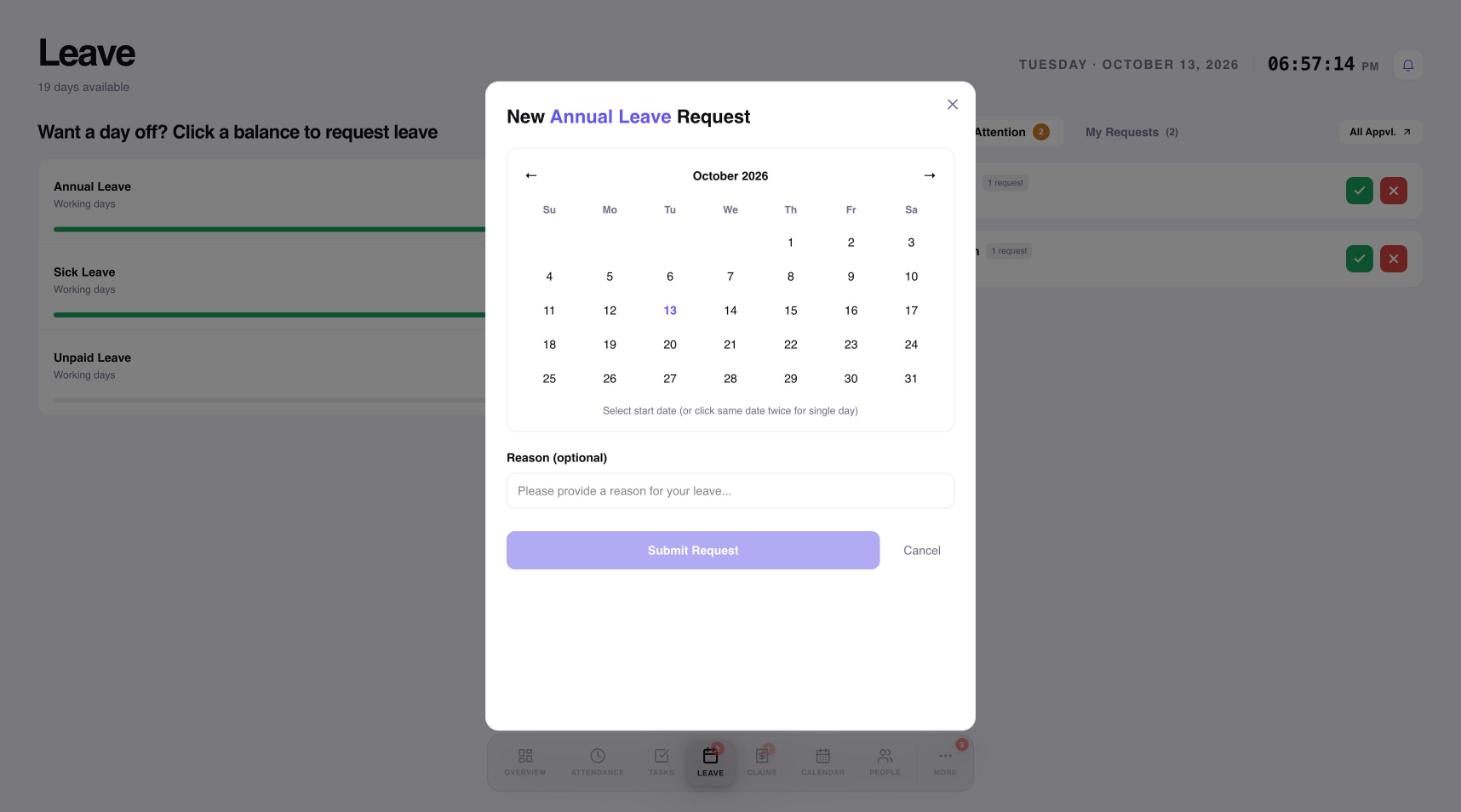
- Pick your start and end dates on the calendar.
- Add a reason if you want to, then select Submit Request.
 123
123- Click a start date, then an end date. Click the same date twice for one day.
- A reason is optional.
- Submit the request.
Approve or reject
Requests that need your decision appear under Need Your Attention. Select the green tick to approve or the red cross to reject.
Change leave policies
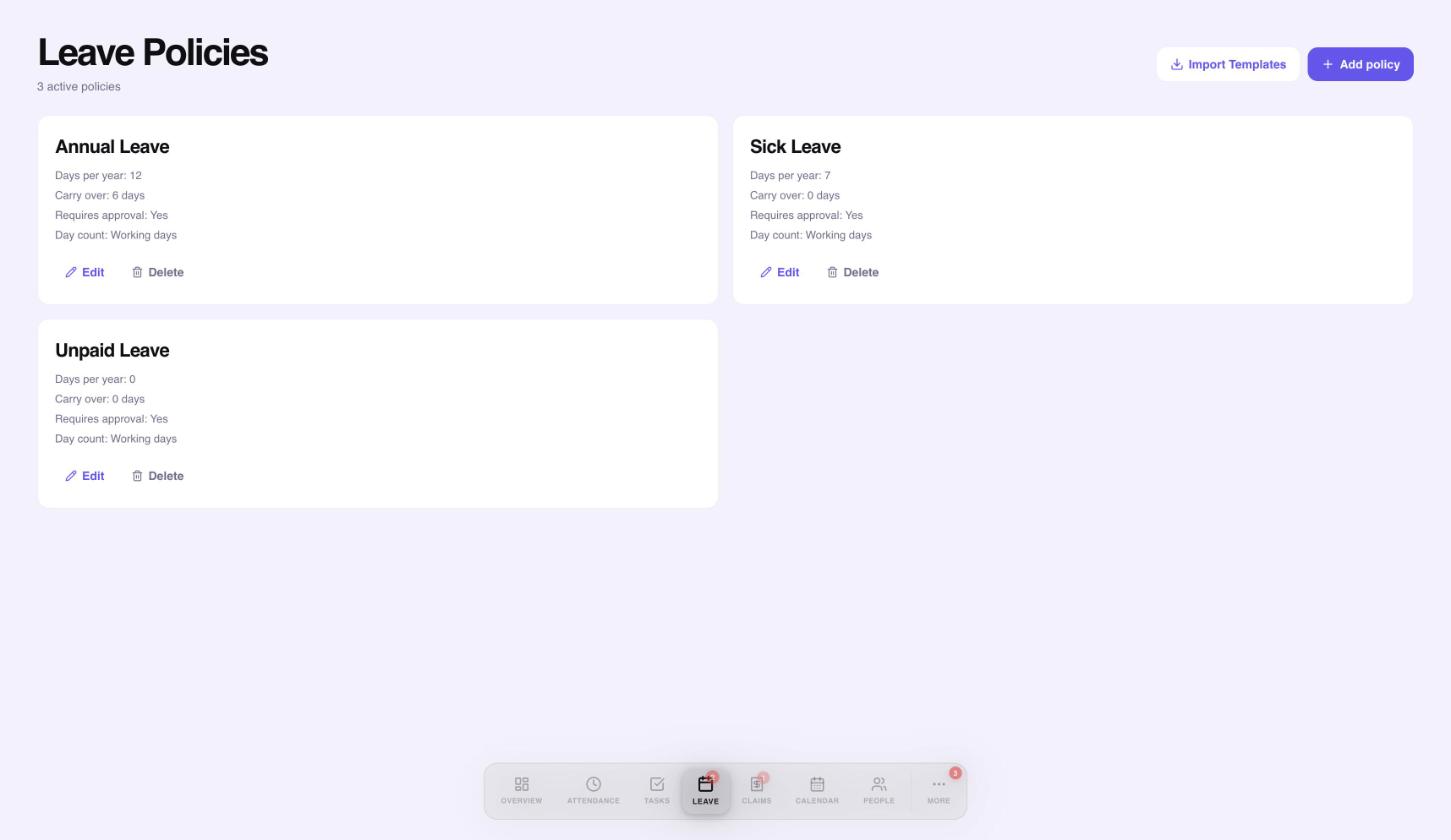
Select Settings on the Leave page to manage your leave policies. Add a policy, import a template, or edit one that exists.
 1234
1234- Import ready-made policy templates.
- Add your own policy.
- Each policy shows days per year, carry over, approval and how days are counted.
- Edit or delete a policy.
Need a hand?
Email my@workived.com and we will help you out.